 DottaandClaude Opus 5.5
b124ad0674
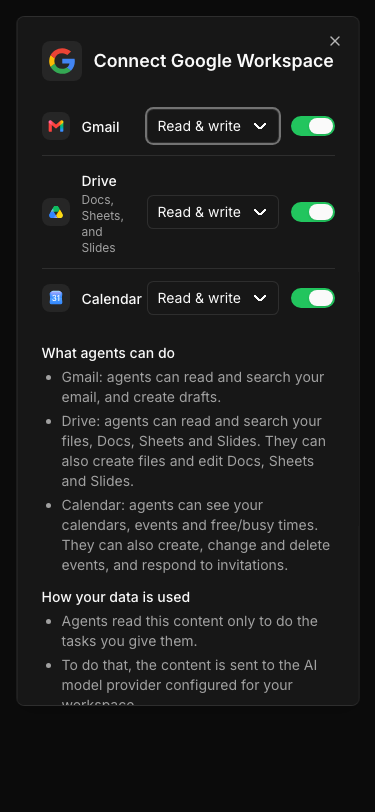
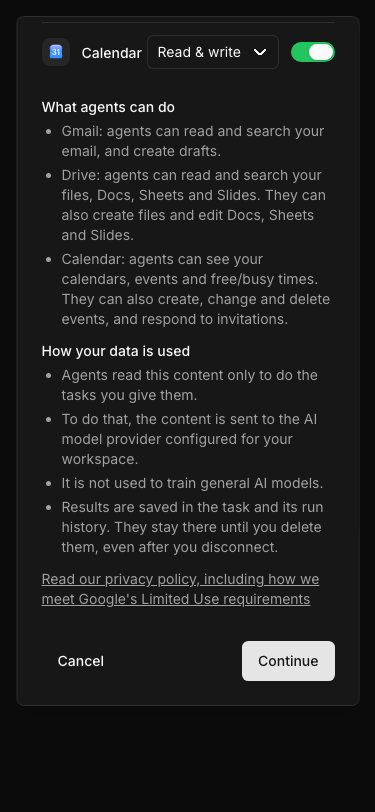
## Thinking Path > - Paperclip is the open source app people use to manage AI agents for work > - The built-in Google Workspace connection lets agents use Gmail, Drive (with Docs, Sheets and Slides) and Calendar > - Google reviews this connection for restricted scopes. Google requires a disclosure in the product, shown just before the consent request, that says what data the app accesses and how it uses and shares that data. A link to the privacy policy alone is not sufficient > - Before this change, the service picker showed only three service rows and Cancel / Continue. Its only description was text for screen readers > - This pull request adds a visible data-use disclosure to the picker. The disclosure changes with the selected services and access levels > - The benefit is that every user sees what agents can do and where the data goes before Google asks for consent, and the connection meets this review requirement ## Linked Issues or Issue Description Refs #21996 (the code-fix plan, section 1, describes this change). **Is your feature request related to a problem?** Google's restricted-scope review requires an in-product data-use disclosure immediately before the consent request. The Google Workspace service picker has no visible disclosure. It does not say what agents can do with each service, that content goes to the configured AI model provider, how long results stay, or where the privacy policy is. **Describe the solution you'd like** Show a short disclosure between the service rows and the footer. Build it from the current selection. Describe only the selected services, at the selected access level. Explain use, sharing and retention. Link the privacy policy and mention Google's Limited Use requirements. **Describe alternatives you've considered** A privacy-policy link only. Google does not accept this as a disclosure. A separate confirmation step after the picker. This adds a click to every setup and reconnect, and the picker is already the last Paperclip screen before Google consent. ## What Changed - `ui/src/features/connections/googleWorkspaceDisclosure.ts` (new): a pure function `googleWorkspaceDataUseDisclosure(selection)` returns the plain sentences for the selected services and the use/sharing sentences. It also exports the privacy policy URL (`https://paperclip.ing/privacy`). - `ui/src/features/connections/GoogleWorkspaceServices.tsx`: `ServicePicker` shows the disclosure above the footer when one or more services are on. With no services on, it keeps the existing "Select at least one service to continue." message and shows no disclosure. The privacy link opens in a new tab. The dialog now scrolls inside 85% of the viewport height, so the footer stays reachable on a phone. This one picker serves new setup and reconnect, in the Apps flow and in task-hosted setup. - `ui/src/features/connections/GoogleWorkspaceServices.test.tsx`: tests for each service at each access level, picker order, Gmail send wording (read only never mentions sending; read & write only says that Paperclip does not send), the empty selection, the rendered block, the link, and the block's position before the footer. - `ui/src/pages/apps/AppDetail.tsx` and `ui/src/pages/apps/app-detail/AdvancedPanel.tsx`: the app detail page's Reconnect card, "Connect as me", "Connect organization identity" and the dedicated-agent connect started Google sign-in directly. For a Google Workspace connection they now open the same picker first. The picker is filled from the saved request. The chosen services go to the sign-in request (`workspaceServices`, or `scopes` for personal authorization). Other apps start sign-in as before. The gate is `useGoogleWorkspaceServiceGate` in `GoogleWorkspaceServices.tsx`. - `ui/src/pages/apps/AppDetail.test.tsx`: tests for each app-detail path, including Cancel (no sign-in starts). - `ui/storybook/stories/connection-setup/google-workspace-services.stories.tsx`: new `ProductionPickerReadOnly` story (with a play test) and `ProductionPickerMobile` story. Notes on the design (kept here because the change adds no code comments): - Every Google Workspace sign-in must pass through the service picker, so the disclosure always comes just before Google's consent screen. `useGoogleWorkspaceServiceGate` opens the picker for a Google Workspace connection and starts other connections at once. - Gmail read & write only creates drafts. Google's consent screen describes the compose permission as also sending email, so the Gmail line says this and states that Paperclip does not send email. Tests enforce this wording. ### Disclosure copy for sign-off Section heading 1: **What agents can do**. One line for each selected service. Unselected services are not mentioned. | Service | Read only | Read & write | | --- | --- | --- | | Gmail | "Gmail: agents can read and search your email." | "Gmail: agents can read and search your email, and create drafts. Google's permission screen also mentions sending email; Paperclip does not send email." | | Drive | "Drive: agents can read and search your files, Docs, Sheets and Slides." | "Drive: agents can read and search your files, Docs, Sheets and Slides. They can also create files and edit Docs, Sheets and Slides." | | Calendar | "Calendar: agents can see your calendars, events and free/busy times." | "Calendar: agents can see your calendars, events and free/busy times. They can also create, change and delete events, and respond to invitations." | Section heading 2: **How your data is used**. Always shown when one or more services are selected: - "Agents read this content only to do the tasks you give them." - "To do that, the content is sent to the AI model provider configured for your workspace." - "It is not used to train general AI models." - "Results are saved in the task and its run history. They stay there until you delete them, even after you disconnect." Link (opens `https://paperclip.ing/privacy` in a new tab): "Read our privacy policy, including how we meet Google's Limited Use requirements" No services selected: "Select at least one service to continue." (unchanged). No disclosure is shown. ### Screenshots (Storybook, production picker; taken before the Gmail wording change) Desktop, dark: 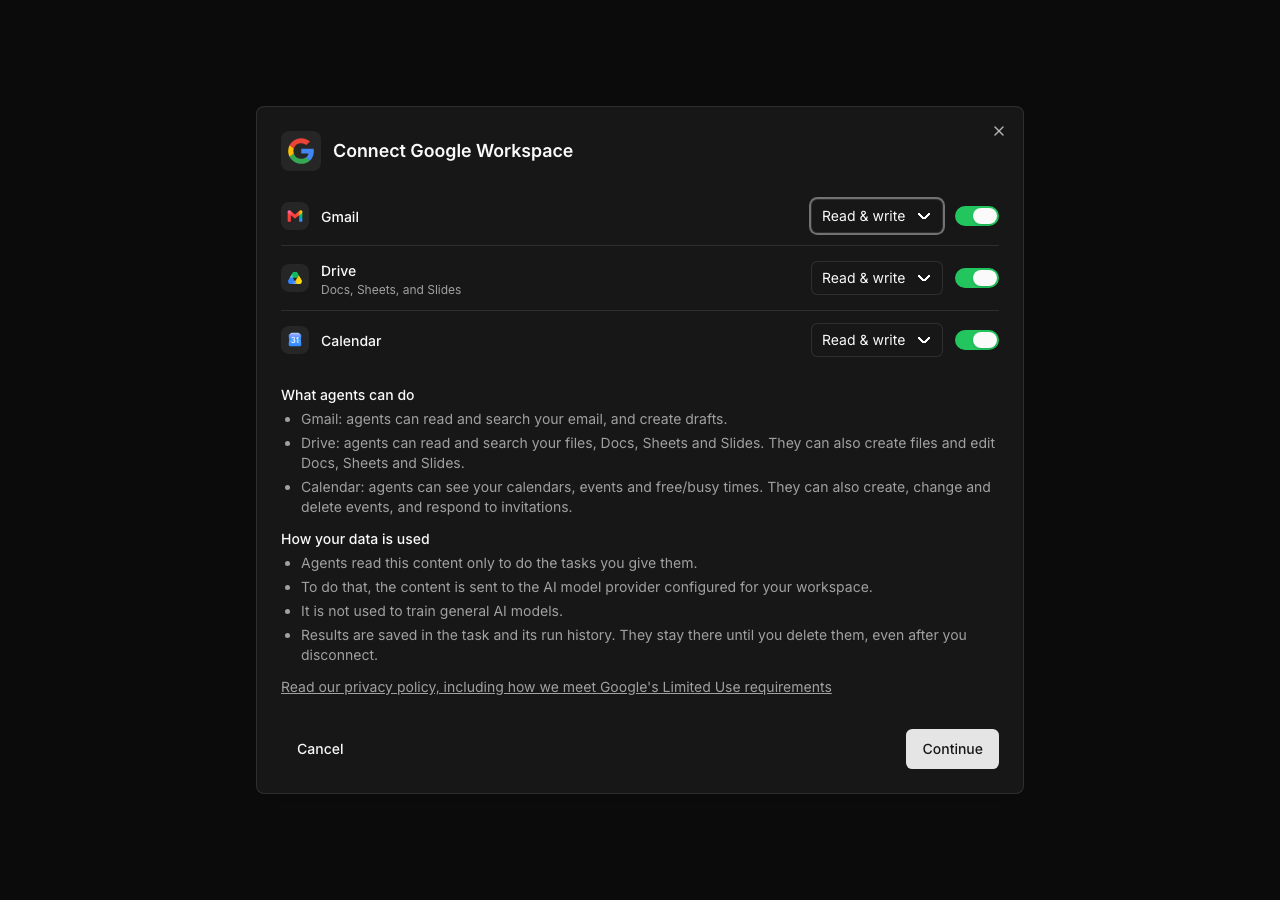 Desktop, light: 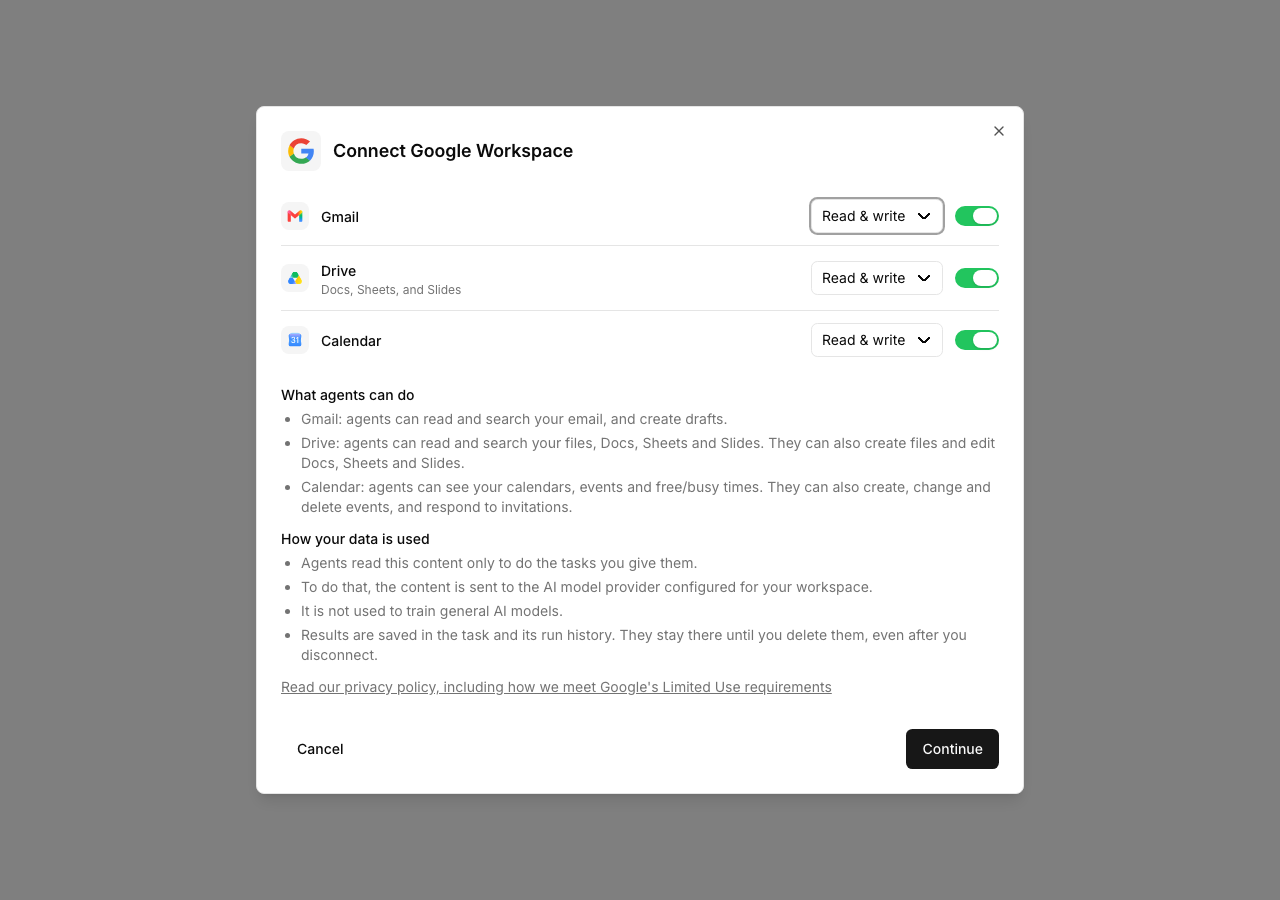 Phone (375 px), top and scrolled to the footer: <img width="300" alt="Picker on a phone, top" src="https://raw.githubusercontent.com/cryppadotta/paperclip-upstream-fork/pr-assets/google-workspace-data-use-disclosure/pr-assets/google-workspace-disclosure/picker-mobile.png"> <img width="300" alt="Picker on a phone, scrolled to the footer" src="https://raw.githubusercontent.com/cryppadotta/paperclip-upstream-fork/pr-assets/google-workspace-data-use-disclosure/pr-assets/google-workspace-disclosure/picker-mobile-bottom.png"> ## Verification - Red first: with a stub helper, 9 new tests failed. The 5 app-detail tests failed before the reconnect fix (sign-in started without the picker). The changed Gmail wording tests failed before the copy change. After the changes: `cd ui && npx vitest run src/features/connections/GoogleWorkspaceServices.test.tsx src/pages/apps/AppDetail.test.tsx src/pages/apps/AppsConnect.test.tsx src/pages/apps/app-detail` passes, 395 tests. - `node scripts/check-token-gates.mjs`: all gates clean. - `cd ui && node ../scripts/run-tsc.mjs -b` passes. - `node scripts/storybook-catalog.mjs` passes. - Headless Playwright against Storybook dev: the `ProductionPicker` story at 1280x900 (dark and light) and the `ProductionPickerMobile` story at 375x812. No horizontal scroll at 375 px. The footer is reachable after scrolling the dialog. The `ProductionPickerReadOnly` play test ran to its end state. - `pnpm verify` exits 2 (a Storybook story is a broad input). Required CI supplies the broad coverage. - Manual: open Apps, start a Google Workspace connection. Turn services on and off and change the access levels. Make sure that the disclosure changes and that unselected services are not mentioned. ## Risks - Low code risk. The change is UI-only. It does not change the selection, scopes, OAuth or saved state. - Wording risk: the copy makes product statements (no training on content, results stay after disconnect). The owner must approve the wording. The published privacy policy must agree with it: today the policy does not yet name AI model providers and describes retention only while a connection is active. Update the policy before or together with this change. - The dialog is taller. On short screens it scrolls inside the dialog. > For core feature work, check [`ROADMAP.md`](ROADMAP.md) first and discuss it in `#dev` before opening the PR. Feature PRs that overlap with planned core work may need to be redirected — check the roadmap first. See `CONTRIBUTING.md`. ## Model Used - Claude Opus 5.5 (`claude-opus-5-5`), Anthropic, in Claude Code with tool use (shell, file edits, headless browser). ## Checklist - [x] I have included a thinking path that traces from project context to this change - [x] I have specified the model used (with version and capability details) - [x] I have checked ROADMAP.md and confirmed this PR does not duplicate planned core work - [x] I have searched GitHub for duplicate or related PRs and linked them above - [x] I have either (a) linked existing issues with `Fixes: #` / `Closes #` / `Refs #` OR (b) described the issue in-PR following the relevant issue template - [x] I have not referenced internal/instance-local Paperclip issues or links (only public GitHub `#NNN` / `github.com/paperclipai/paperclip` URLs) - [x] My branch name describes the change (e.g. `docs/...`, `fix/...`) and contains no internal Paperclip ticket id or instance-derived details - [x] I have run tests locally and they pass - [x] I have added or updated tests where applicable - [x] I have updated relevant documentation to reflect my changes - [x] I have considered and documented any risks above - [ ] All Paperclip CI gates are green - [ ] Greptile is 5/5 with no open P2s, recommendations, or follow-ups - [x] I will address all Greptile and reviewer comments before requesting merge 🤖 Generated with [Claude Code](https://claude.com/claude-code) --------- Co-authored-by: Claude Opus 5.5 <noreply@anthropic.com>


@paperclipai/ui
Published static assets for the Paperclip board UI.
What gets published
The npm package contains the production build under dist/. It does not ship the UI source tree or workspace-only dependencies.
Storybook
Storybook config, stories, and fixtures live under ui/storybook/.
pnpm --filter @paperclipai/ui storybook
pnpm --filter @paperclipai/ui build-storybook
Typical use
Install the package, then serve or copy the built files from node_modules/@paperclipai/ui/dist.
Editor dependency identity
Keep the root and workspace overrides for @codemirror/state,
@codemirror/view, and @lezer/common aligned. CodeMirror requires shared
extension identity, while Lezer parsers and syntax highlighters require shared
NodeProp IDs. Multiple Lezer copies can crash code-block highlighting with
tags is not iterable. src/lib/codemirror-single-instance.test.ts checks the
installed dependency graph and highlights sample code through the editor's real
language dependencies. GitHub Actions owns regeneration of pnpm-lock.yaml.